• A leader in the test & measurement space
  • Audio Analyzers & Testing by Audio Precision
  • GRAS Sound and Vibration
  • imc Test & Measurement GmbH - productive testing
imc Test & Measurement GmbH
GRAS
  • Products
    Data Acquisition Systems
    • ARGUSfit - miniature
    • CRONOSflex - clickable
    • CRONOScompact - rack-based
    • CRONOS-XT - rugged & modular
    • CRONOS-SL - rugged
    • C-SERIES - small & versatile
    • SPARTAN - low-speed
    • EOS - high-speed
    • BUSDAQflex - vehicle-bus logger
    • CANSAS - CAN-based
    • Legacy Products
    Measurement Software
    • FAMOS - test data analysis
    • imc STUDIO - measurement & control operation
    • imc Online FAMOS - real-time analysis
    • imc WAVE - live NVH analysis
    • imc LINK - remote data transfer
    • imc SENSORS - sensor database
    • Legacy Products
    Sensor Solutions
    • WFT - 6-component Wheel Force Transducer
    • WTT - Wheel Torque Transducer
    • CLSx - Steering Effort Sensor
    Telemetry
    • Dx – modular telemetry system
    • MTP-NT - inductive transmission
    • CTP-NT-Rotate – compact radio telemetry
    • T1 – 16 bit single channel telemetry
    • TEL 1 –12 bit single channel telemetry
    • TEL1-Flex – bendable single channel telemetry
    Test Stands
    • Component Test Stands
    • Endurance Test Stands
    • Retrofit
    • Realized test stands
  • SOFTWARE
    • FAMOS
    • imc STUDIO
    • Online FAMOS
    • imc WAVE
    • imc LINK
  • Solutions
    Industries
    • Automotive
    • Rail
    • Aerospace
    • Energy & Power Grid
    • Mechanical Engineering
    • Civil Engineering
    E-Mobility
    • Temperature measurement in HV environments
    • Current measurement in HV environments
    • Voltage measurement in HV environments
    • Determine efficiency / power analysis
    • Testing electric motors
    • Testing driving dynamics
    • Practical examples
    • Battery test stand
    • Wireless Measurements of Rotor Temperature in E-drives
    • Back-to-Back Test Stand for Data Acquisition on Electric Motors
    Test Stands
    Noise & Vibration Analysis
    General Solutions
    • E-Mobility Applications
    • Measurement Data Analysis
    • Durability testing
    • Strain Gauge Measurements
    • imc measurement devices in the "Internet of Things"
    • Condition Monitoring
    • Fieldbus Integration
  • Resources
    imc Academy
    • About imc ACADEMY
    • Training Calendar
    • Training Programs
    • Seminars
    • Workshops
    • Digital Courses
    • Coaching & Consulting
    Tradeshows & Events
    • Sensor+Test 2026
    • Automotive Testing Expo Stuttgart 2026
    • Noise-Con 2026
    • AES Automotive Audio 2026
    • Automotive Testing Expo Shanghai 2026
    • Innotrans 2026
    • ATE North America 2026
    Webinars
    • Advancing Rail Safety: TÜV Süd & imc on Reliable M
    Product Downloads
    • Data Acquisition Systems
    • Measurement Software
    • Sensor Solutions
    • Telemetry
    • VIEW THE KNOWLEDGE CENTER
    Whitepapers
    • Mitigating damage from vibrational resonance
    • Spectrum analysis for sound power measurement
    • Mechanical power measurements on drive systems
    • From the sensor to data to added value
    • Integrated Component Test Stands
    • Ground vibration testing
    App Notes
    • Czinger 21C Safety & Durability Testing
    • Prevention of torsional vibration on wheelsets
    • imc Application Note: Liebherr BEV Mining Truck
    • Dynamic load testing of rail wheelsets
    • SBB monitors Swiss railways with imc
    • Testing Safely in High-voltage Environments
    News
    • News: E-motor test stands
    • VIEW THE KNOWLEDGE CENTER
    Press
    • Press Releases
    • VIEW THE KNOWLEDGE CENTER
  • Support
    Customer Service
    • Device Rental/Personnel Contracting
    • CE conformity
    System Service
    • Sending in a device for maintenance
    • Express Service
    About
    • Company Profile
    • CAEMAX
    • KMT
    • Jobs
    • Locations
    • General Terms & Conditions
    • Export declaration
    • Quality Assurance
    • imc Worldwide
    • Becoming a partner
    • Partner Portal
  • Contact Us
    • Contact Sales
    • General Contact
    • Become a Partner
    • Locations
    • +44 7985564945
  • English
  • Deutsch (de)
  • Chinese (Simplified)
  • South Korean
  • French
  • Hungarian
  • Chinese (Traditional) - Taiwan
  • Finnish
  • Spanish

Axiometrix Solutions Family

  • Axiometrix Solutions
  • Audio Precision
  • GRAS Sound & Vibration
  • imc Test & Measurement
  • English
  • Deutsch (de)
  • Chinese (Simplified)
  • South Korean
  • French
  • Hungarian
  • Chinese (Traditional) - Taiwan
  • Finnish
  • Spanish
LOG IN | SIGN UP
  • imc STUDIO 2023

    now with boosted usability and efficient workflow - discover the new version
    Test full version
  1. Home
  2. SOFTWARE
  3. imc STUDIO

The new imc STUDIO 2023 measurement software

imc STUDIO, the comprehensive test and measurement software for the entire measurement process, is now available in its latest version 2023.

For test engineers working with imc data acquisition systems and data loggers, this new version will boost usability and efficient workflow for both new and experienced users. The intuitive approach to the software’s comprehensive functionalities provides immediate results when setting up and managing DAQ equipment, operating measurements, or complex testing procedures. 

Free demo version

Get price details

Price quote for update

What is new in imc STUDIO 2023

  1. Easy access and improved workflows
  2. Improved usability
  3. Integrated imc WAVE functions
  4. Further new functions
  5. PDF of all new features
  6. Older versions

Older Versions

New features in imc STUDIO 2022

New features in imc STUDIO 5.2

New features in imc STUDIO 5.0

Quick start and improved workflows

Users that are new to imc STUDIO are supported with new wizards and assistants.
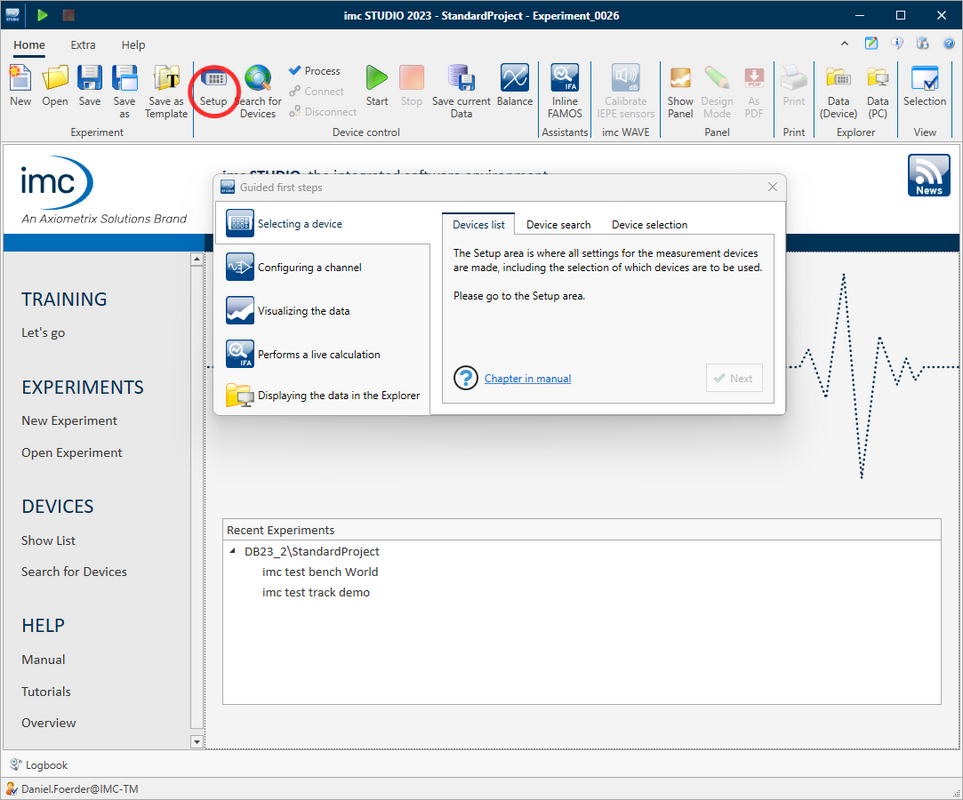
Guided Tour​

A guided tour helps new users to get started and explains the functions of the software step by step - starting with the selection of the device and the channel configuration up to the display of the measurement data. The wizard can be started and repeated at any time on the imc STUDIO homepage with a click on "Let's go". 


Tutorials
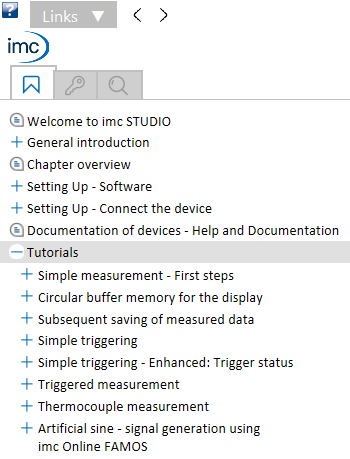
A variety of new and revised tutorials help users configure and set up simple to complex measurements. 


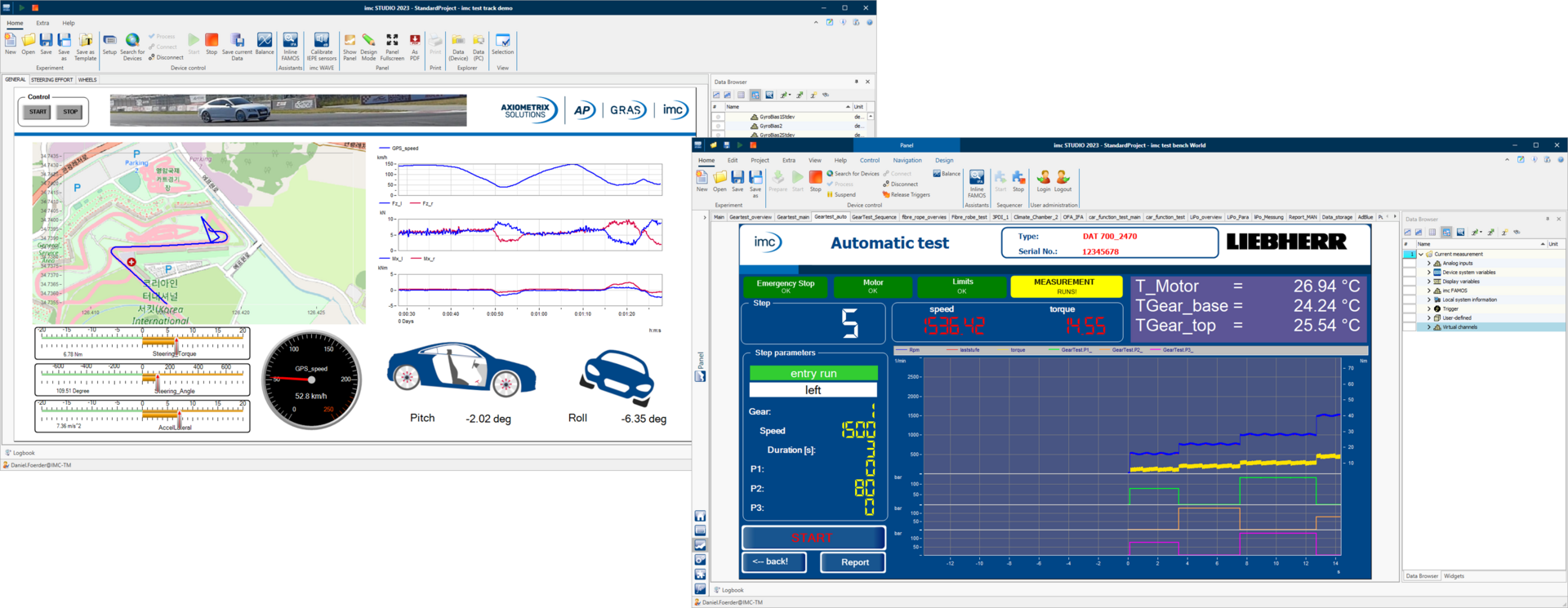
Demo Experiments

Extensive demo experiments are now available to users as templates or for inspiration. The experiments are based on real customer projects and contain numerous impressive panels that show the diverse possibilities of imc STUDIO. The panels work with simulated live data and therefore do not require any connected DAQ hardware. The demo projects are available as stand-alone downloads on the imc website.


DAQ Emulation

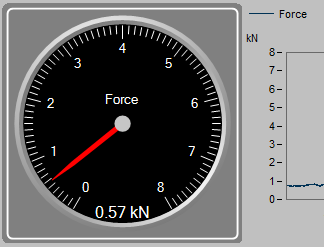
imc STUDIO provides new functions for the test of application setups with live simulated data from synthetic or recorded data files.

Function Simulator

With the function simulator you can create synthetic data like a sine, square, saw, etc. to create test data.

Channel Loader

The Channel Loader allows to load and replay real imc FAMOS data files and use them in your experiments.


Enriching experiments​

Experiments can be enriched with supporting files with extra information of any type like:

  • Spreadsheets with control and test sequence parameters
  • PDFs like data sheets, installation information etc.
  • Photos with sensor placements
  • Reference and setpoint data curves
  • Report templates
  • Dat files for Channel Loader (“File Replay”)
  • Everything encapsulated within the experiment
  • Relative paths for easier porting

Experiments can therefore be ported and distributed even more easily as templates, configs …

Improved Usability

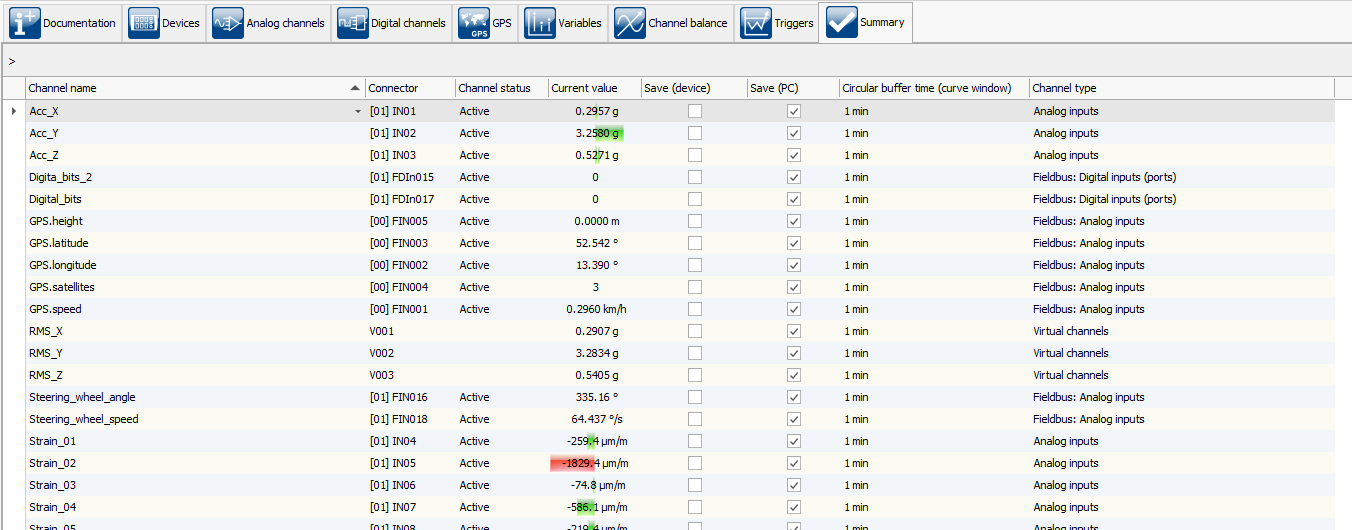
New Summary Page

The new "Summary" configuration page provides a comprehensive overview of the most important settings. Regardless of the channel type, this page shows all the configured channels, including the current value, overdrive warning and memory settings. This allows the user to get a quick and comprehensive overview without having to switch between different pages. 

Intelligent Widget Presets

The scale of a widget now automatically adjusts to the channel it is linked to. For this purpose, the widget uses the "Display Range" channel property, newly introduced in imc STUDIO 2023. If no display range is configured, the widget uses the configured measurement range for intelligent presetting. This reduces manual configurations to a minimum. 


Flexible Workspace Design

The new free workspace design allows docking multiple components of imc STUDIO on a single page. For example, combine setup table and panel on one page for better overview. This way you avoid switching between the different components. 

Integrated imc WAVE Functionalities

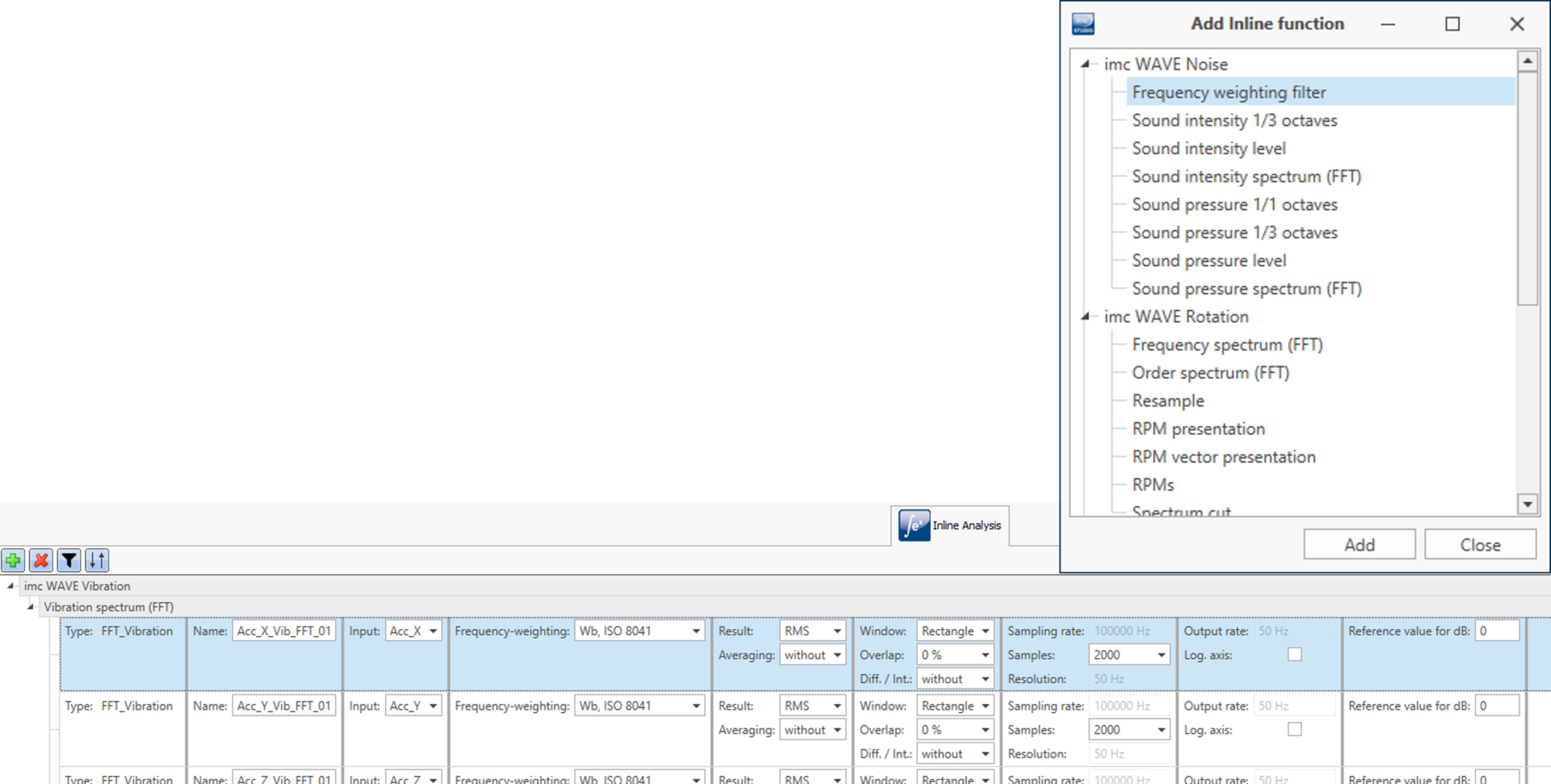
Integrated NVH Analysis​

If you have an imc WAVE license, you can now use the NVH functions it contains as a ready-made inline function directly in imc STUDIO. Simply add an NVH analysis function to an existing channel and you get a ready-made result channel without having to program a line. This way you combine the comprehensive NVH functionality of imc WAVE with the flexibility and freedom of imc STUDIO. 

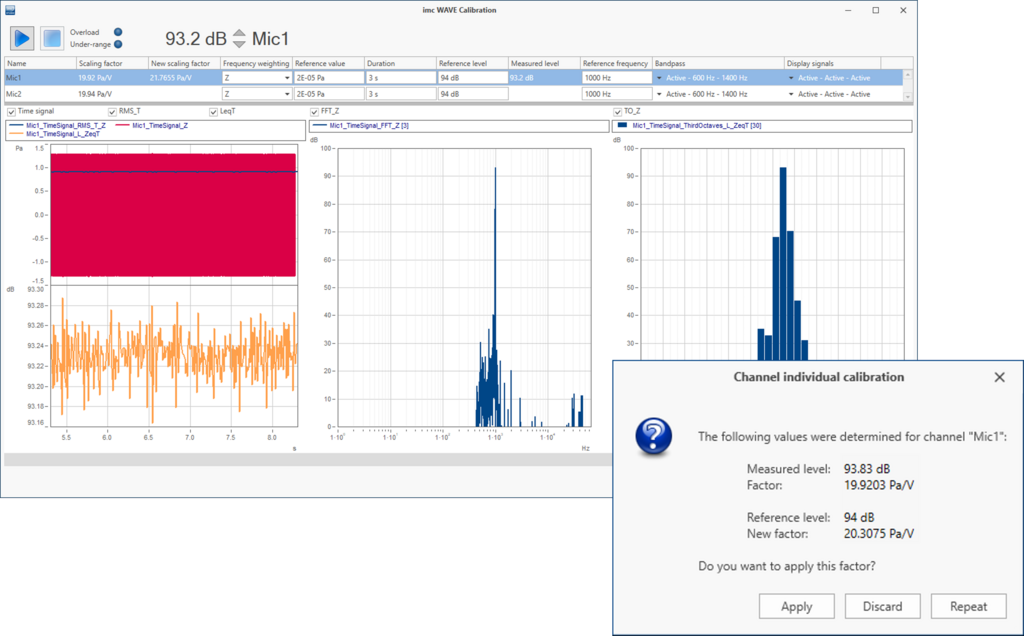
Calibrating Microphones​

If you have an imc WAVE license, you can now also calibrate microphones and IEPE sensors in imc STUDIO. 
Additional Packages

imc STUDIO Monitoring

imc STUDIO Monitoring is an additional edition of imc STUDIO intended for visualizing live data on multiple PCs. Typical applications are: 

  • Connect to running measurements to check the current situation 

  • Monitoring extensive measurement campaigns live with several people - each supervisor with his/her own focus 


Powertrain Monitoring
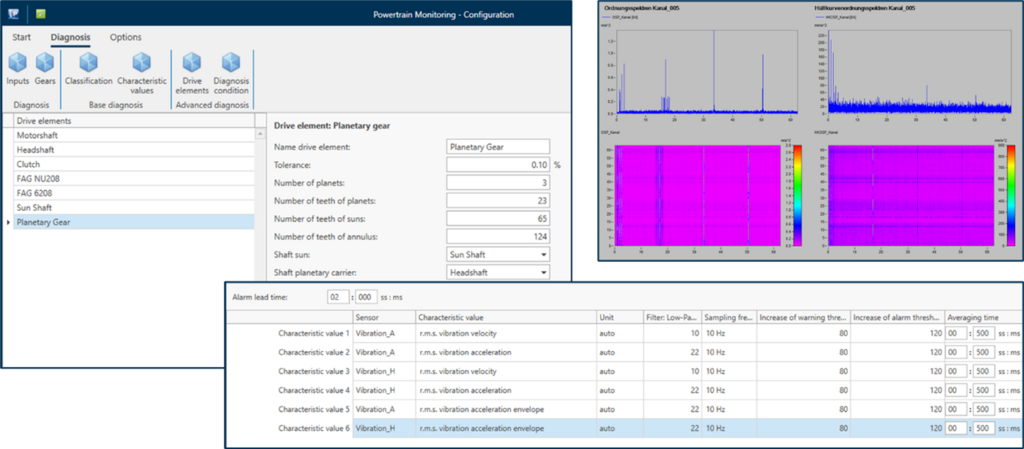
The Powertrain Monitoring add-on package enables developers and test engineers to monitor powertrains. Sophisticated vibration analyses make it possible to diagnose both gears and bearings. Based on a detailed kinematic model of the system, damage to bearings and gears can be identified at an early stage and, for example, individual ball bearing defects can be tracked down. 
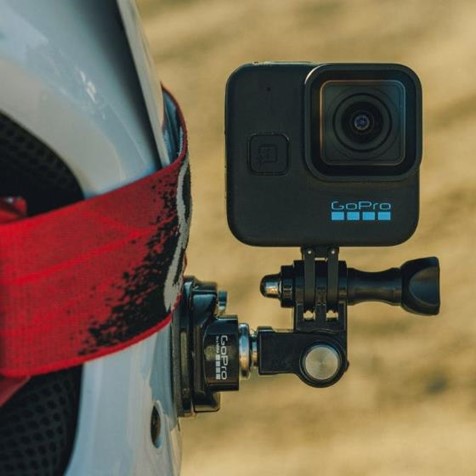

GoPro Camera

With the help of the new add-on "GoPro Camera", you can control GoPro cameras from imc STUDIO. Although the camera does not allow live image in imc STUDIO, you can start and stop the video recording. It is also possible to automatically transfer the video data to the PC after the measurement is finished. This allows you to evaluate measurement and video data together later in imc FAMOS. 

Complete overview of all new features

For a complete overview of all new features, improvements and changes, please download the PDF below:

  • What is new in imc STUDIO 2023 (PDF)
  • What is new in imc STUDIO Monitor 2023 (PDF)

Older Versions

New features in imc STUDIO 2022

New features in imc STUDIO 5.2

New features in imc STUDIO 5.0

Data Acquisition Systems Measurement Software Sensor Solutions Telemetry Test Stands
FAMOS imc STUDIO imc WAVE imc LINK
FAMOS FAMOS 2026 + AI FAMOS Resources Prices & Editions Try FAMOS
Industries General Applications Automotive Applications
Knowledge Center imc Academy App Notes Whitepapers Tradeshows & Events Webinars Measurement Software News Press Export Declaration
Customer Service System Service Contact Sales General Contact Become a Partner Locations
About imc About Axiometrix Solutions Company Profile CAEMAX KMT Careers Quality Assurance Terms & Conditions Grounding Page
Axiometrix Solutions Logo negativ
imc Test & Measurement is part of Axiometrix Solutions, a leading test solutions provider comprised of globally recognized measurement brands. Productive testing is essential for the success of our customers—hence, our driving force. Since 1988 we have been committed to support industrial innovations with optimal measurement solutions. We are manufacturing our productive test and measurement systems at our headquarters in Berlin, Germany, operating worldwide in Europe, the US and Asia.

© imc Test & Measurement GmbH. All rights reserved.

Legal Notice Privacy Policy REPORT AN INCIDENT
Follow Us:
↑
Loading